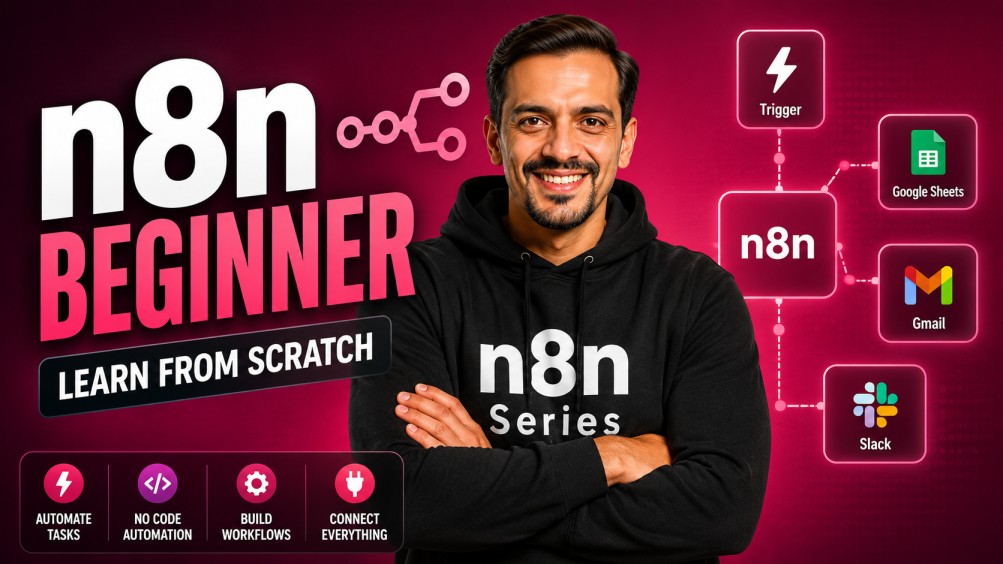
n8n Beginner - Learn n8n from scratch
Offered by: Ritz7

n8n Beginner - Learn n8n from scratch

0 students enrolled
Self Study
$75
$195
62% OFF
20 Days
Lifetime access

Objectives

The primary goal of this course is to empower non-technical professionals, entrepreneurs, and creators to build intelligent, autonomous systems that boost productivity without writing code.
Demystify AI Agents: Transition from simple prompt engineering to creating systems that think, decide, and act independently.
Master n8n as a Core Engine: Learn the industry-standard, trending no-code automation tool capable of running complex data workflows and native AI integrations.
Bridge Multi-Modal AI & Operations: Connect powerful LLMs (Gemini, OpenAI, Perplexity) with essential day-to-day business apps like Gmail, Outlook, Google Sheets, and social media platforms.
Implement Production-Ready Automations: Go from a blank canvas to deploying fully scheduled workflows with advanced structural filters, error protection, and human-in-the-loop oversight.

Prerequisites

Anyone with a laptop and an internet connection can actually learn how to automate.

What You Will Learn

Foundations of No-Code Automation: Understand the logic behind Triggers (when something happens) and Actions (the resulting automated behavior) using an intuitive drag-and-drop system.
Building Forms & Communication Flows: Design standalone, interactive forms natively inside n8n to capture leads or community sign-ups, and auto-route customized HTML/text emails via Gmail or Outlook.
Advanced Multi-Modal AI Generation: Use Google Gemini, OpenAI, and Perplexity APIs to autonomously generate and clean data, compile deep analytical research, generate images/videos, and perform complex audio-to-text transcriptions.
Strategic Data Manipulation: Learn to take unstructured JSON outputs from AI models and perfectly organize them into human-friendly rows and columns in Google Sheets.
Complex Flow Logic (Filters, IF, & Switch Nodes): Route your data down entirely different pathways based on criteria rules, and merge multiple disparate branches back into a single operational stream.
Deploying Autonomous AI Agents (Tool-Use): Set up automated content loops that use custom external scraper tools (like Apify) to autonomously fetch online files, compile transcripts, and auto-generate SEO-optimized blog articles or deep summaries.
Enterprise Control Frameworks: Implement Scheduling Triggers to execute tasks at precise time intervals, and embed Human-in-the-Loop approval links so you always review and click "Approve" via email before any AI-generated post goes live on platforms like LinkedIn.

About This Course

This course provides a hands-on foundation in modern automation, moving from basic setup to building functional AI systems. You will learn to bridge different apps—like connecting Google Forms to Gmail or syncing Sheets with LinkedIn—while integrating Google Gemini to handle content and data. Instead of just linking tools, you’ll learn how to clean data, use conditional logic, and handle "human-in-the-loop" steps to ensure accuracy. It is a practical roadmap for anyone looking to build custom tools that manage documents, transcribe audio, and summarize complex information automatically.

Topics Covered

n8n Automation

  • Day 1: What Are AI Agents & How They Work – N8N Setup Tutorial
  • Day 2: Build Your First No-Code Automation Workflow in N8N
  • Day 3: Automate Email Responses from Form Submission Using N8N
  • Day 4: Google Sheets to Gmail Automation – N8N No-Code Tutorial
  • Day 5: Connect Google Gemini API in N8N – AI Workflow Tutorial
  • Day 6: Clean & Format AI Data in N8N (Gemini to Sheets)
  • Day 7: Automate LinkedIn Posts with Images (N8N + OpenAI)
  • Day 8: Human in the Loop in N8N (Step-by-Step Guide)
  • Day 9: Schedule Automated Workflows in N8N
  • Day 10: Connect Perplexity AI with N8N (Build Powerful AI Workflows)
  • Day 11: Use Filters, IF & Switch Nodes in N8N
  • Day 12: Loop Items, Compare Data & Add Waits in N8N
  • Day 13: Google Gemini Image Generation (N8N Workflow Guide)
  • Day 14: Create AI Videos in N8N Using Google Gemini
  • Day 15: Audio Transcription Workflow with Gemini in N8N
  • Day 16: Break Down Documents Using Gemini in N8N
  • Day 17: YouTube to Blog Automation (N8N + Gemini)

Meet Your Instructors

Ritesh's profile

Ritesh Hegde

Frequently Asked Questions

Do I need any coding or programming experience to take this course?

No coding background is required at all. This course is built entirely around "no-code" logic, using n8n's drag-and-drop interface. If you can understand basic logic (like "if this form is submitted, then send this email"), you have all the prerequisites necessary to excel

What is n8n, and why are we focusing on it instead of other platforms like Zapier?

While tools like Zapier or Make are excellent for simple app connections, n8n stands out because it has advanced AI agent frameworks natively built-in. It allows you to seamlessly integrate specialized AI nodes (like LLM chains, text/image models, and memory) directly into your data paths without requiring complex technical workarounds.

What AI models will I learn to integrate throughout this program?

You will get hands-on experience connecting and utilizing a variety of industry-leading AI models, specifically Google Gemini (for native multi-modal tasks, documents, and media generation), OpenAI (for generative text and assets), and Perplexity AI (for real-time internet-connected research and indexing).


Will I have to pay extra money for the AI tools used in the course workflows?

The course heavily prioritizes free or highly accessible tiers so you can start practicing immediately. For example, we teach you how to set up free Google Gemini API keys via Google AI Studio. For workflows requiring heavy production media generation or advanced API cloud features, we will guide you on how to monitor usage pricing or leverage free trial credits.


What does

"Human-in-the-Loop" is a security flow where an automation stops and waits for a real person to approve its work before finishing. For example, you will learn how to build a system where an AI writes a social media post and sends you an email with "Approve" or "Reject" buttons. The post will only go live on LinkedIn once you visually verify it and click approve.

Can I make one single automation run on multiple conditions or schedules?

Yes. One of the strongest features of n8n highlighted in this course is its ability to handle multiple triggers simultaneously. You can configure a workflow to execute completely automatically via a daily calendar schedule, run only when an external web link or app event fires, or allow you to force-trigger it manually with a single click.


Can these workflows convert complex file types like videos, audio, or documents into data?

Absolutely. You will learn to build advanced workflows that feed external URLs or local files directly into Gemini. This includes setting up automated scraping systems that extract full text scripts from YouTube videos, transcribing long MP3 audio files with custom start/end time markers, and feeding full multi-page text/HTML documents into models to extract clean bulleted action points