Don’t Just Read About AI - 🤫Secretly Implement It.
The secret to doing 10 hours of business work in 10 mins? Master AI & automation basics in just 3 hours. Apply to ANY field! 🚀
Save My Spot 🙋♂️/🙋♀️Key Takeaways
- What it is: n8n is a tool that connects your apps and does boring, repetitive tasks for you – automatically.
- Is it free? You can download the software for free, but you need to pay for a server to run it. The cloud version starts at $20/month after a 14-day free trial.
- Why people love it: Unlike most competitors, n8n charges per workflow run — not per step. This makes it much cheaper when your automations get complex.
- Who it's for: Anyone who is tired of doing the same tasks over and over — no coding skills needed.
- Where to start: Pick one annoying task you do every week. Build a workflow to automate it. Everything clicks from there.
So, What Is n8n?
Imagine you run a small business. Every time someone fills out your contact form, you have to:
- Copy their details into a spreadsheet
- Send them a welcome email
- Add a reminder to follow up later
You do this manually, every single time. It is repetitive, it takes time, and if you forget, you lose a potential customer.
n8n (pronounced "n-eight-n") stops all of that. You set it up once, and it does those steps for you automatically — the moment someone submits the form, even at 3 a.m. when you are asleep.
It works by connecting your apps — like Gmail, Google Sheets, WhatsApp, and 500+ others — and telling them what to do when something happens. You build this with a simple drag-and-drop screen. No coding required.
Is n8n Free? Here's the Real Answer
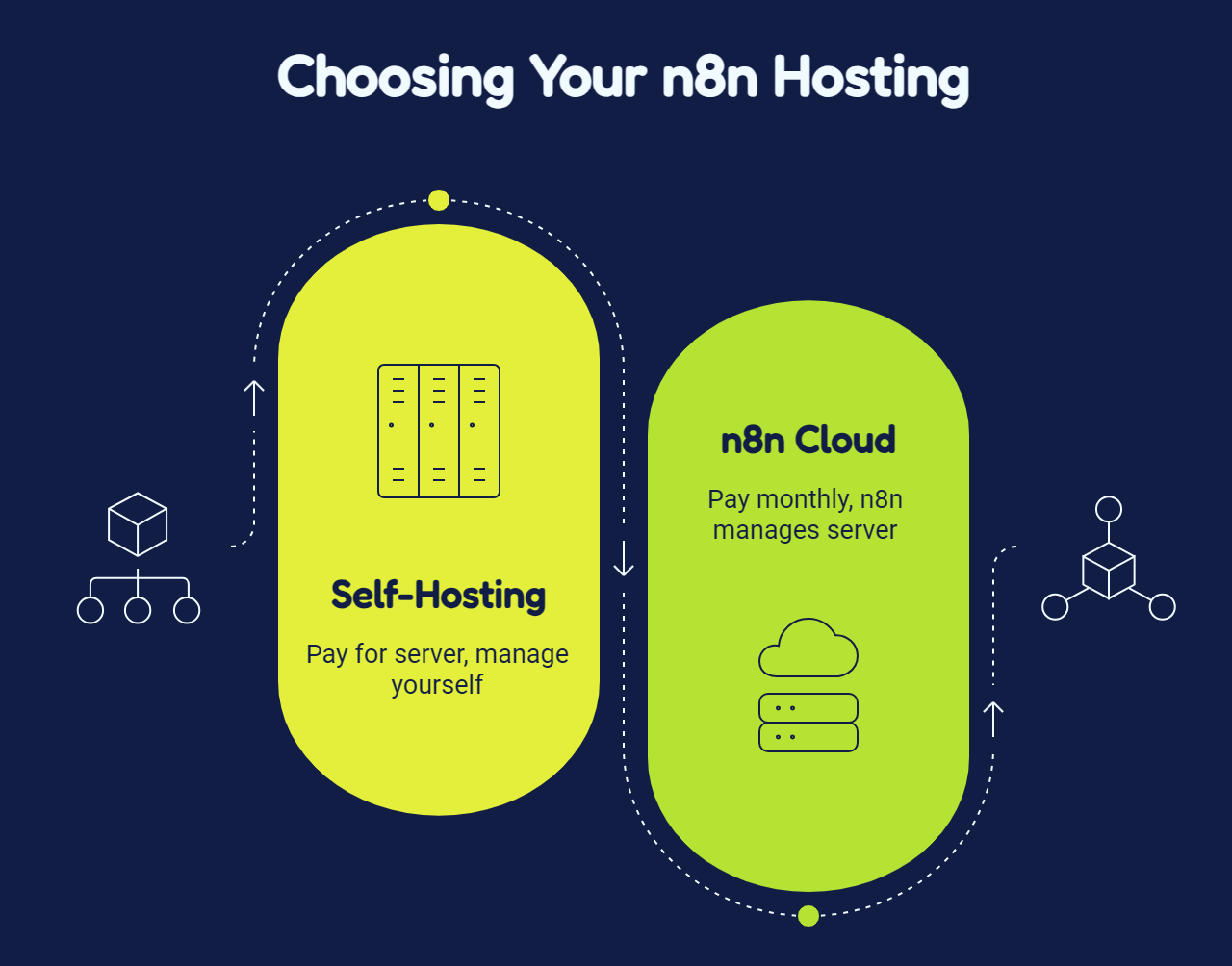
The n8n software itself is completely free to download, but you must either pay for a server to host it yourself or subscribe to n8n Cloud starting at $20/month.
This is where a lot of people get confused, so let's keep it very simple.
Option 1 — Download and run it yourself (Community Edition): The n8n software is 100% free to download from GitHub. No fees, no limits on how many workflows you run.
But here is the catch — to run software, you need a computer that is always on and connected to the internet. That computer is called a server, and you have to pay for it. Think of it like renting a tiny computer in the cloud.
A basic server starts at around $5/month. But if you want it to run reliably — without crashing or losing your data — you need a better setup that can cost $20–$150/month depending on how much you use it, according to Goodspeed Studio's 2026 cost breakdown. You also need to set it up and maintain it yourself, which takes time and some technical know-how.
Option 2 — Let n8n handle the server for you (n8n Cloud): If you do not want to deal with any of that, n8n offers a cloud version where they manage everything. You just log in and start building.
n8n Cloud used to have a free plan, but it was removed in late 2024. As InstaPods' 2026 pricing breakdown confirms, the free tier is gone. Now you get a 14-day free trial with no credit card needed, and after that you pay monthly.
Here are the current plans, directly from n8n.io/pricing:
| Plan | Monthly Price (Pay Annually) | Monthly Price (Pay Monthly) | Workflow Runs/Month |
| Starter | $20/month | $24/month | 2,500 |
| Pro | $50/month | $60/month | 10,000 |
| Business | $667/month | ~$800/month | 40,000 |
| Community Edition | Free software (you pay for server) | Free software | Unlimited |
Source: n8n.io/pricing — verified June 2026
Which should you pick? If you are just starting out, go with the Cloud Starter plan or the free trial. No setup needed — just sign up and start. If you get serious about automation and want to save money long-term, self-hosting becomes worth learning.
Why Is n8n Cheaper Than Zapier?
n8n is drastically cheaper because it charges you once per full workflow execution, whereas Zapier charges you for every single individual step executed inside a workflow.
Most automation tools charge you for every single step your workflow takes. n8n does not.
Here is a simple example. Say you have a workflow with 10 steps, and it runs 100 times a month.
- On Zapier: each step counts as a separate charge. 10 steps × 100 runs = 1,000 charges. (Zapier's own help page confirms this — each action step that runs successfully counts as one task.)
- On n8n: the whole workflow counts as one run. 100 runs = 100 charges. (n8n's official documentation confirms an execution is one full run of a workflow, no matter how many steps are inside.)
That is a 10x difference for the exact same work. The more complex your automations, the bigger the saving.
| n8n | Zapier | Make | |
| Free software you can self-host | ✅ Yes | ❌ No | ❌ No |
| Permanent free cloud plan | ❌ Removed 2025 | ✅ Limited | ✅ Limited |
| Starting cloud price | $20/month | $19.99/month | $9/month |
| How they charge you | Per full workflow run | Per step inside the workflow | Per step inside the workflow |
| Number of apps you can connect | 500+ | 6,000+ | 1,000+ |
| AI tools built in | ✅ Yes | Partial | Partial |
Sources: n8n.io/pricing, Zapier pricing
How Does n8n Actually Work?
n8n works by using a simple three-part system: a trigger detects an event, a series of steps processes the information, and a result finishes the task.
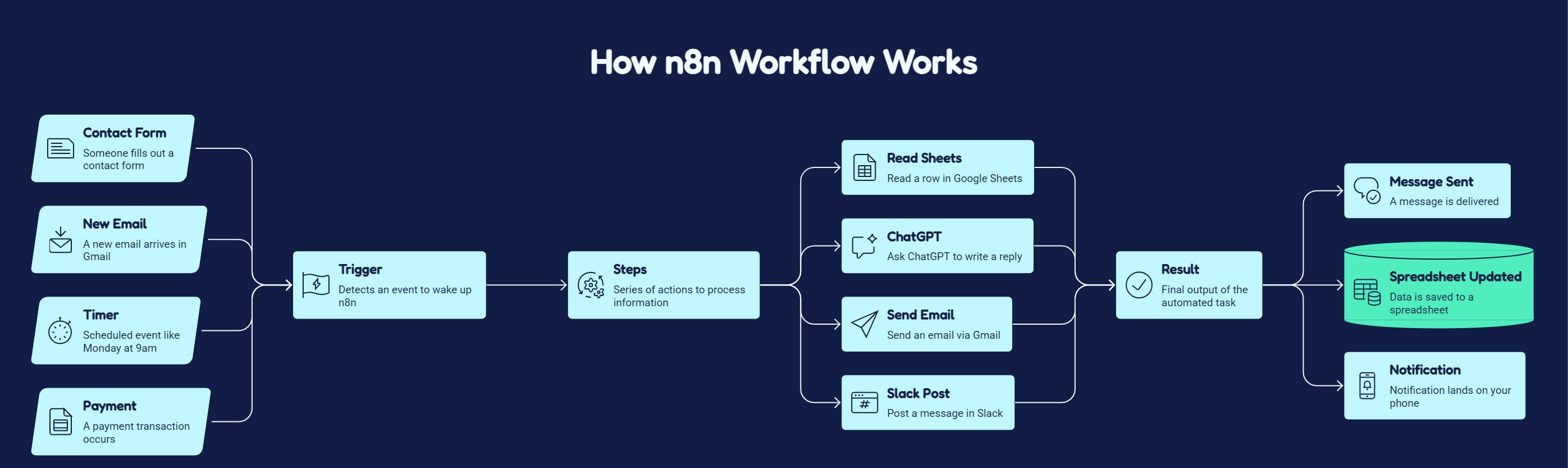
Every workflow has three parts:
1. The Trigger — "What starts it?"
Something happens, and n8n wakes up. For example:
- Someone fills your contact form
- A new email arrives in Gmail
- Every Monday at 9 am (a timer)
- A payment comes through
2. The Steps (Nodes) - "What does n8n do next?"
These are the steps n8n runs after the trigger. Each node does one specific thing:
- Google Sheets node — read, write, or search rows
- OpenAI node — send a prompt and get a response back
- Gmail node — send or read emails
- HTTP Request node — call any API in the world, even without a native connector
3. The Result – "What comes out at the end?"
A message gets sent. A spreadsheet gets updated. A notification lands on your phone. All done without you touching anything.
A real example:
Someone fills your contact form → n8n asks ChatGPT to write a personalised reply → Gmail sends the email automatically
You set this up once. It runs every time, forever.
"Before and After" with n8n Automation
Using n8n replaces hours of manual data entry and messaging with instant, automated background actions that require zero minutes of your time.
🔴 Before n8n, you get 10 new enquiries a week. For each one, you open the email, copy their name and details into a spreadsheet, write a reply, send it, and add a follow-up reminder to your calendar. That is about 15 minutes per enquiry — 2.5 hours a week on the same repetitive task.
🟢 After n8n: The moment someone submits the form, n8n handles all of it automatically. You spend 0 minutes on it. That is 2.5 hours back in your week, every week.
At Ritz7, we use n8n to automatically generate YouTube titles and descriptions, draft blog outlines, and handle content tasks that used to eat hours every week. The workflows run quietly in the background. We handle the creative decisions – n8n does the rest.
See how it works: How to Build a YouTube Video Summarizer in n8n
10 Real Things You Can Automate With n8n
You can use n8n to automate operations across customer service, marketing, sales, and AI assistant management without writing any code.
- Auto-reply to enquiry form submissions using n8n and Outlook
- Send bulk WhatsApp messages to a contact list automatically
- Build a WhatsApp AI agent that replies to voice messages, text, and images
- Automate Gmail — label emails, save attachments, and pull data into Sheets
- Screen and score job applications automatically with an AI resume bot
- Build a Telegram bot that manages your Google Calendar with voice or text
- Automate appointment booking using ElevenLabs voice and n8n
- Connect MCP servers to build powerful AI agent workflows in n8n
- Turn your n8n skills into passive income with templates
Who Is n8n For?
n8n is designed for business owners, freelancers, creators, and developers who want to eliminate manual administrative work or build AI-driven products.
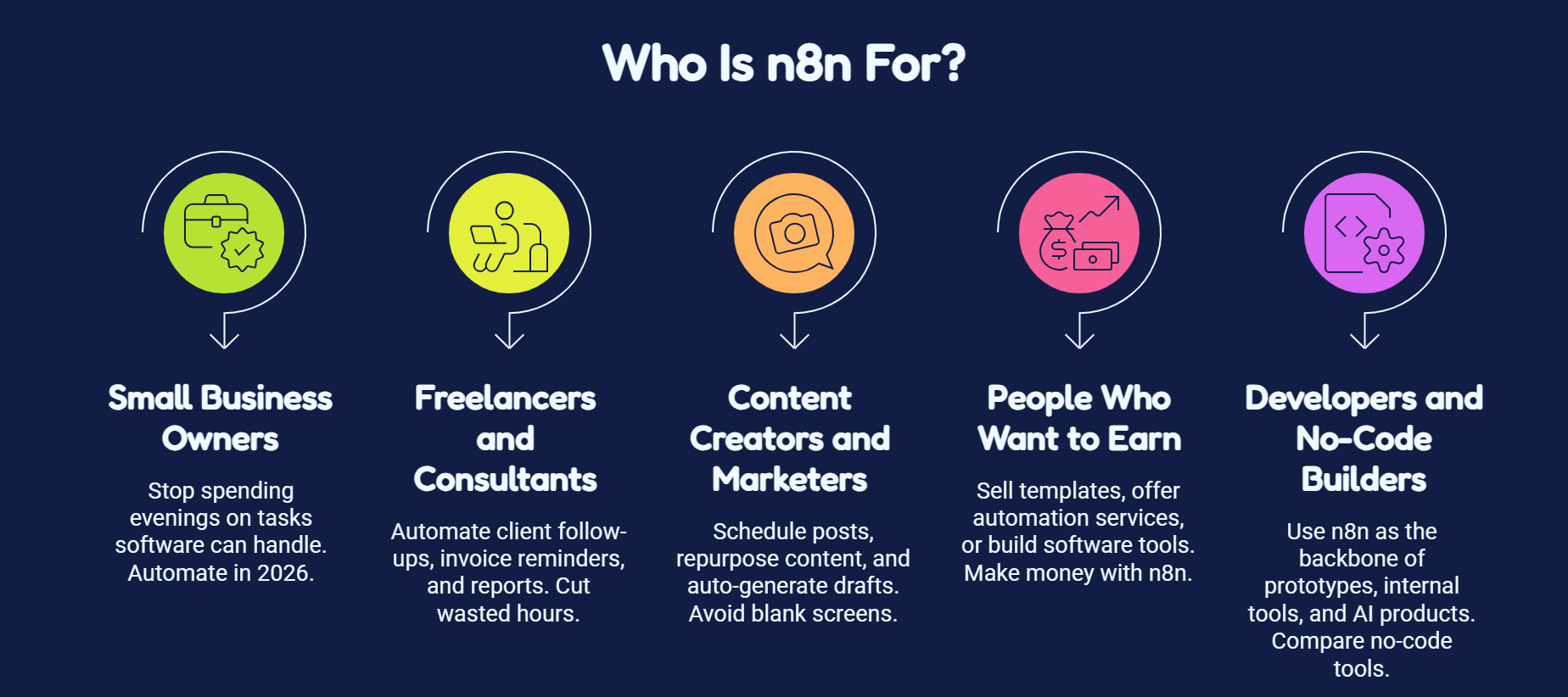
Small business owners – stop spending your evenings on tasks software can handle for you. Here are 10 things every small business should automate in 2026.
Freelancers and consultants automate client follow-ups, invoice reminders, and reports. See how consulting firms use automation to cut wasted hours.
Content creators and marketers – schedule posts, repurpose content, and auto-generate drafts without staring at a blank screen.
People who want to earn from automation—once you know n8n, you can sell templates, offer automation services, or build a small software tool. Read the full guide to making money with n8n.
Developers and no-code builders use n8n as the backbone of prototypes, internal tools, and AI products. Compare the best no-code prototyping tools in 2026.
Things to Know Before You Start n8n
Before launching your first workflow, keep in mind that n8n handles data in transit rather than storing it and has a slight technical learning curve.
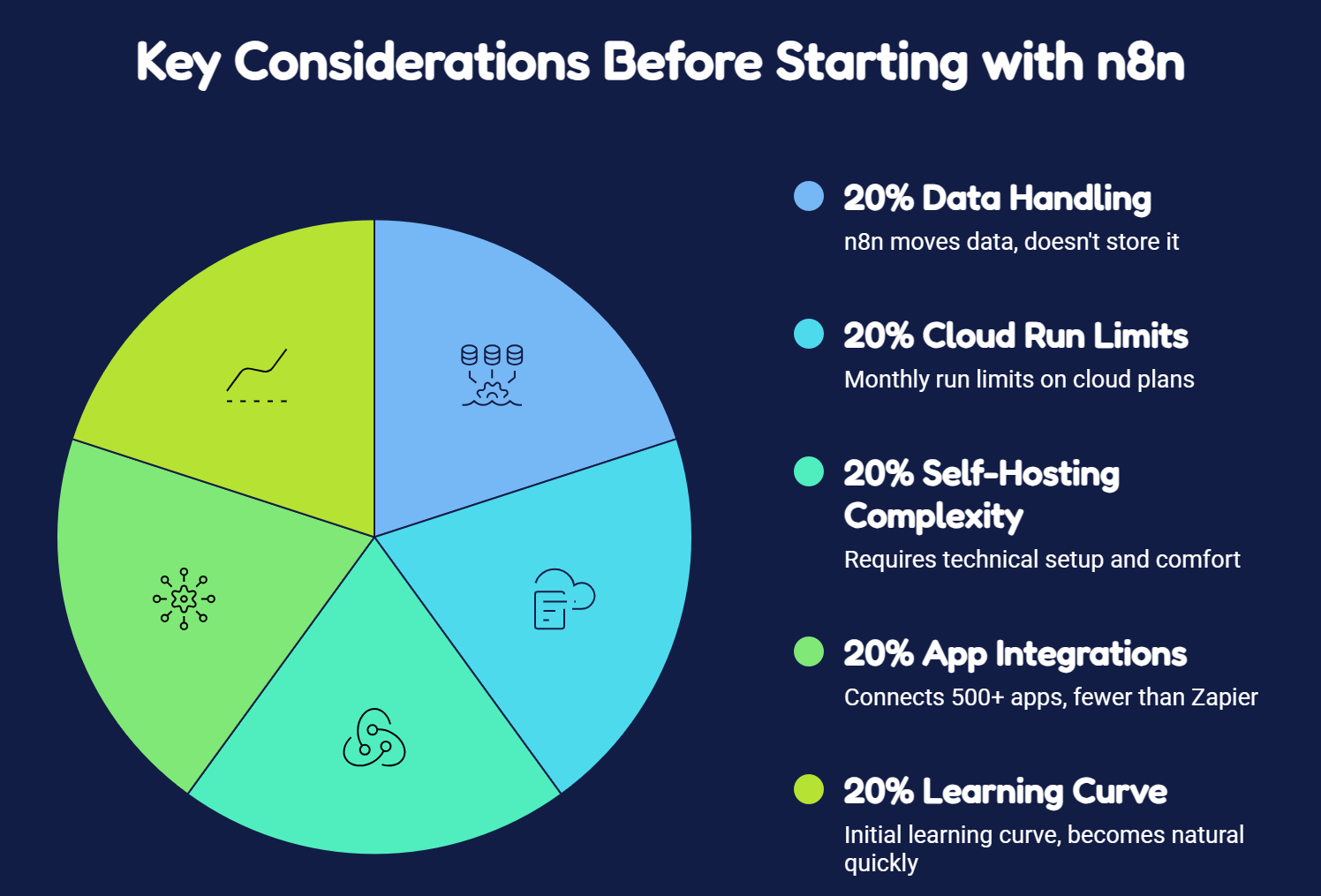
- n8n does not store your data. It moves data between apps — it does not hold it for you. Use Google Sheets, Notion, or Airtable for that.
- Cloud plans have a monthly run limit. If your workflows hit the limit, they stop until the next billing cycle — no automatic overages, per n8n.io/pricing.
- Self-hosting is not plug-and-play. Setting up your own server takes a few hours and some basic technical comfort. If that sounds like too much right now, start with the cloud trial.
- n8n connects 500+ apps — which covers most popular tools well. Zapier connects 6,000+, so if you need something niche, check the n8n integrations list first.
- The learning curve is real but short. The first workflow takes the longest. By the third one, it feels natural.
Frequently Asked Questions
Everything you need to know about this topic.
Is n8n completely free?
What is the main structural difference between n8n and Zapier?
Do I need to understand coding to create workflows in n8n?
Can n8n integrate with artificial intelligence models like ChatGPT?
How can a beginner get started with using n8n?
How much income can you generate by mastering n8n automation skills?
Next Steps After Creating Workflows
Once you have a few workflows running, three paths open up:
Go deeper — learn how to handle errors, set up more advanced triggers, and use JavaScript for complex logic. This is where n8n gets really powerful.
Add AI — connect OpenAI or Gemini to your workflows and build things that can read, think, and respond on their own. Start with building a WhatsApp AI agent in n8n.
Make money from it — sell the workflows you build as templates, offer automation services to businesses, or launch a small tool. The n8n passive income guide covers five specific ways to do this.
And if you want to learn the fundamentals properly – not just n8n, but the automation thinking that applies to every AI tool out there – join the Ritz7 workshop. It is made for complete beginners who want to go from zero to building real things.
Final Thoughts
n8n is one of those tools that change how you think about your time. Once you realise a workflow can handle a task you have been doing manually for months, you cannot unsee it.
Start small. Automate one thing. Then another. Before long, the repetitive parts of your day just disappear.
The Ritz7 Automations Community is where n8n builders at every level – from complete beginners to advanced – share what they are building, ask questions, and find their first clients. Come build something that runs while you sleep.