Key Takeaways:
- "Zapier" is the easiest to start, but gets expensive fast and has a low income ceiling
- "Make" is more powerful than Zapier and cheaper but slightly harder to learn
- "n8n" is the most powerful, cheapest at scale, and the best choice if you want to earn from automation
- You do not need to learn all three — pick one and go deep
- If you want to freelance, consult, or sell templates someday, start with n8n from day one
Most beginner guides dump everything about all three tools on you at once. That is not helpful when you are starting from zero. You just need one answer: which tool do I open first, and why?
This guide gives you that answer. Simple language, real examples, no fluff. By the end, you will know exactly which tool matches your situation.
New to automation completely? Read What is n8n: A Beginner's Guide to Automation first, then come back here.
Make, Zapier, and n8n: What Are These Three Tools, Actually?
Think of all three tools the same way: they connect apps together so they can talk to each other automatically.
Without automation, getting a new sale means you manually copy the customer's email into a spreadsheet, then manually send a welcome email. Three steps by hand, every time. With automation, the tool does all of that the moment the sale comes in. You do nothing.
All three tools do this. They just do it differently.
Zapier - The Easy One
- Launched: 2011
- Best for: Non-technical people who want something working fast
- How it works: Pick a trigger app (like Gmail), pick an action app (like Slack), done
- Real example: "When I get a new email with the word 'invoice', create a task in Trello."
- Free tier: 100 tasks/month
Zapier's whole idea is that anyone can use it in 10 minutes — and honestly, that is true. The catch comes when you need it to do more. Want "if this, then that" logic? Paid plan. Want to run something in a loop? Paid plan. Want to reformat data? Paid plan. For beginners, those walls show up in the first week.
Make (Formerly Called Integromat) — The Middle Ground
- Launched: 2012, rebranded as Make in 2022
- Best for: People who need more control than Zapier offers
- How it works: Drag-and-drop visual canvas — you see your whole workflow laid out like a map
- Real example: "New Shopify order over $50 → add to VIP Mailchimp list + send Slack alert + update Google Sheet" — all in one flow, free
- Free tier: 1,000 operations/month
Make can handle branching logic, loops, and multi-step flows without charging you extra. The trade-off is that the interface looks more complex on day one, and the community is smaller — so if you get stuck, there are fewer tutorials to help you.
n8n - The Powerful One
- Launched: 2019
- Best for: Freelancers, consultants, and anyone who wants to earn from automation
- How it works: Open-source workflow orchestration platform — run it on your own server or use their cloud (~$20/month)
- Real example: "Every morning: pull top Reddit posts → summarise with AI → post to Slack → add to Google Sheet → email report to client" — fully automated, zero effort
- Free tier: Self-host for free, no usage limits
What makes n8n stand apart is its node ecosystem. Every app, every action, and every piece of logic in n8n is a "node" — a small block you connect to others. You can use official nodes, community nodes built by other n8n users, or build your own. It has over 400 integrations, according to n8n's documentation, and connects natively with AI tools like ChatGPT — something Zapier and Make were not built for. That flexibility is simply not available anywhere else. n8n is the hardest of the three to set up on day one, but once it is running, it is the easiest to grow with. Who Should Learn n8n Automation? to figure out if it matches where you are right now.
How Hard Is Each Tool to Learn?
Is Zapier Really That Easy?
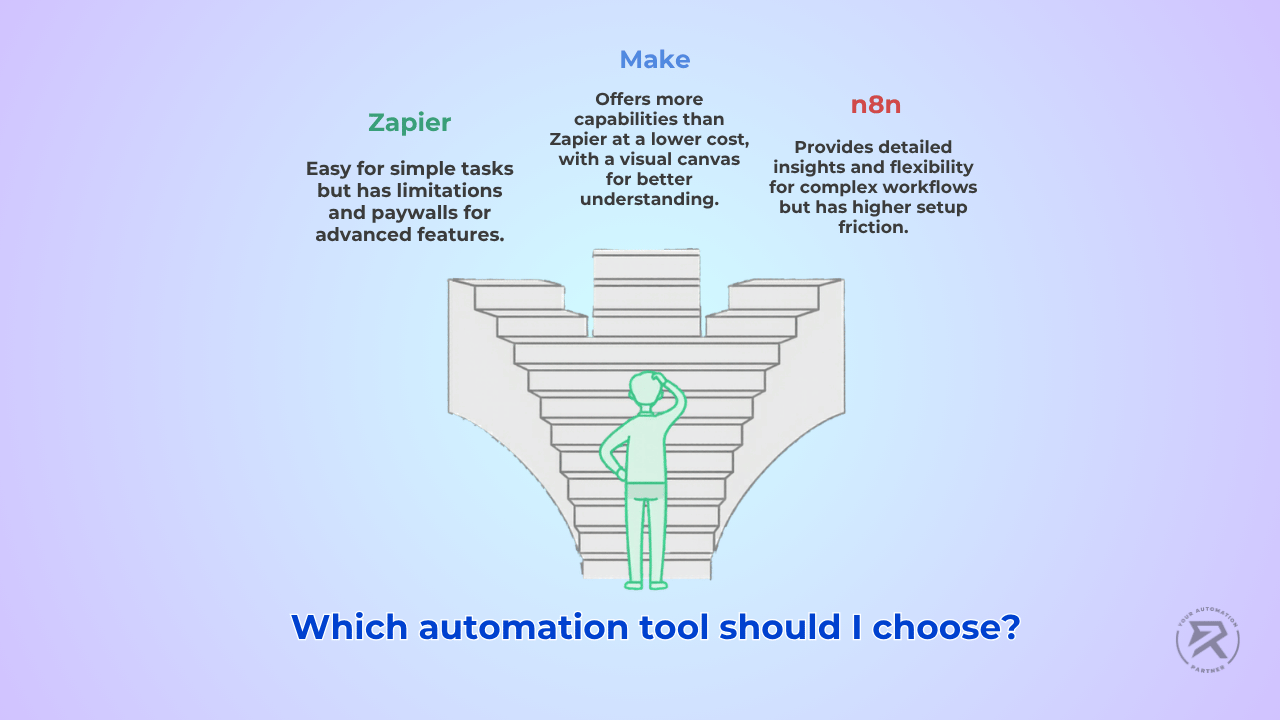
For your first automation, yes — it is the fastest way to get something working. You connect two apps, set a trigger, and set an action, and it is live. No setup, no configuration needed.
The problem shows up fast. The moment you need anything beyond the simplest trigger-action setup — any kind of logic, looping, or data transformation — you hit a paywall. Most beginners hit this within their first week. So Zapier is a great way to understand what automation feels like, but it is not where you want to build your skills long-term.
Is Make Harder Than Zapier?
A little harder on day one, yes. The visual canvas looks more intimidating than Zapier's stripped-down interface. But that extra complexity is real capability – not just visual noise. Once you spend a few hours on it, Make's canvas actually makes your workflows easier to understand and debug because you can see the whole picture at once.
Make is genuinely better than Zapier for anyone who moves past the simplest use cases. It costs less, does more, and does not lock basic logic features behind a paywall.
How hard is n8n, honestly?
n8n has the highest setup friction of the three. You either self-host it (which takes some configuration) or pay for their cloud plan. The interface shows you more details — actual API responses, actual data structures — which can feel overwhelming at first.
But here is the thing: that is exactly what makes n8n a better learning tool. It does not hide what is happening. You see exactly how data moves through every node in your workflow. You understand what API keys connect, when HTTP requests fire, and why a step succeeded or failed. Within a few weeks of building on n8n, you understand AI automation at a level that months on Zapier would never give you.
One thing beginners appreciate about n8n's visual builder is that you can see your entire workflow on one screen and spot failure modes before they happen – something Zapier's step-by-step interface makes very difficult.
The YouTube Video Summariser guide is a good example of a real workflow that would be very hard to build on Zapier or Make but is straightforward in n8n.
Pricing: What Do You Actually Pay?
This is where the gap between the three tools becomes very real.
| Feature | Zapier | Make | n8n |
| Free tier | 100 tasks/month | 1,000 ops/month | Self-host = free forever |
| Cheapest paid plan | ~$30/month (750 tasks) | ~$11/month (10,000 ops) | ~$20/month (Cloud) |
| How they charge | Per task – every step counts | Per operation | Flat hosting cost, no per-task fees |
| For client work | Gets expensive fast | Manageable | Self-host once, run unlimited |
Can You Earn With "Make" Skills?
Better than Zapier. The more complex logic "Make" supports means clients are less likely to maintain things themselves, which leads to longer engagements. There is also less competition. The downside is that Make's AI capabilities are behind n8n's — and clients are increasingly asking for AI agents and AI-powered workflows, which puts Make at a disadvantage.
Why Does n8n Win for Income?
The n8n income breakdown lays out realistic numbers across four paths:
- Custom client work: $2,000–$5,000/month
- Migration consulting (moving clients from Zapier to n8n): $5,000–$15,000 per project
- Monthly retainers (maintaining a client's n8n instance): $300–$500/month each
- Template sales (passive): $500–$1,500/month
The skills are rarer than Zapier skills, which means stronger rates. The retainer model works naturally because when you manage someone's self-hosted n8n instance, they need you ongoingly – for maintenance, updates, and new features. And n8n is the only tool of the three genuinely built for AI agents, which is where all new client demand is landing.
For the full picture of what passive income from n8n looks like in practice, see n8n Passive Income: Which Strategies Actually Work.
Can These Tools Actually Work With AI? (This Is Where n8n Pulls Ahead)
All three tools can connect to AI — but what they can actually do with it is very different.
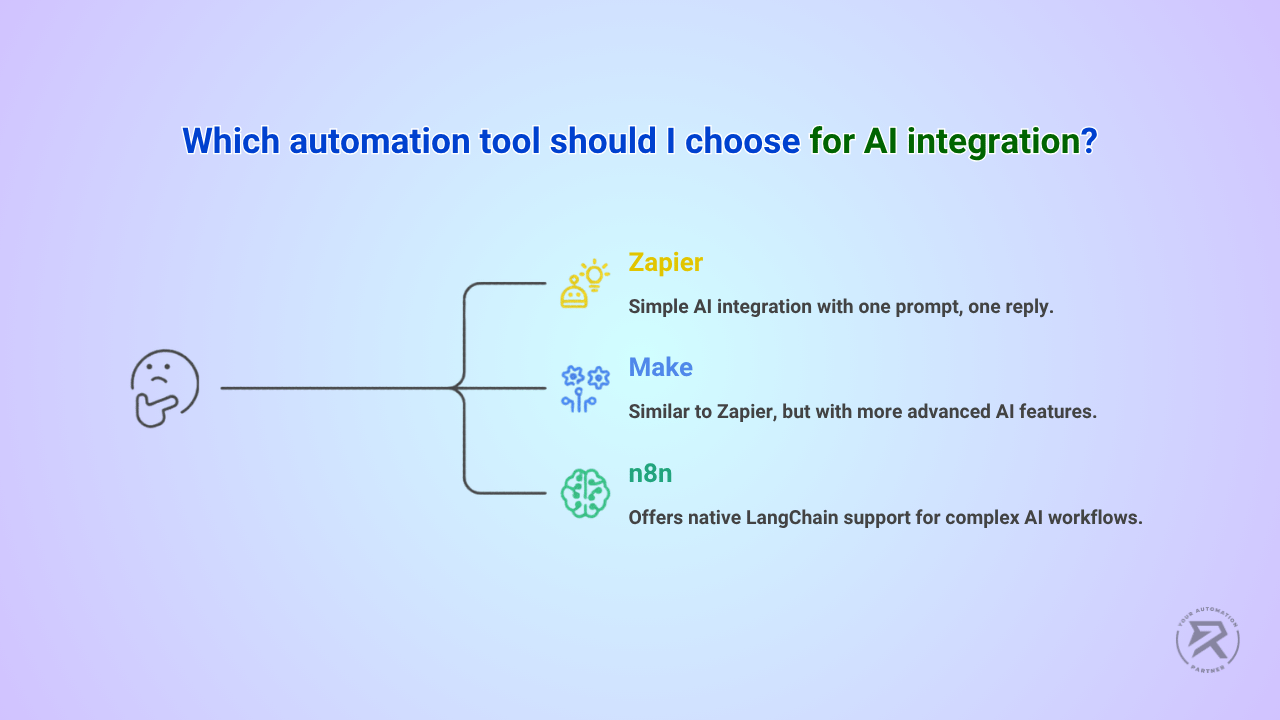
With Zapier and Make, you send a prompt to ChatGPT and get a text response back. One prompt, one reply, done. The AI cannot remember anything from a previous step, cannot make decisions on its own, and cannot take follow-up actions based on what it finds.
n8n works differently. It supports LangChain nodes natively, which means your AI can do a lot more than just reply to a prompt. According to n8n's AI documentation, you can build workflows where AI agents can:
- Browse the web and read documents to find information
- Remember context from earlier steps in the same workflow
- Make decisions and choose different paths based on what they find
- Hand off to a human only when something needs review
- Chain multiple AI calls together in one automated flow
All of this without writing a single line of code.
Here is what that looks like in real life – each of these is a working n8n build, not a concept:
- A Telegram bot that manages your calendar bookings automatically,
- An AI agent that replies to WhatsApp messages from customers around the clock
- A newsletter that researches, writes, and sends itself every week
- An email reply system that reads form submissions and responds automatically
None of these was built by developers. The AI automation trends shaping 2026 are clear: businesses want AI that actually does things, not just AI that answers questions. That is what n8n is built for.
Which Tool Should You Pick Based on Your Situation?
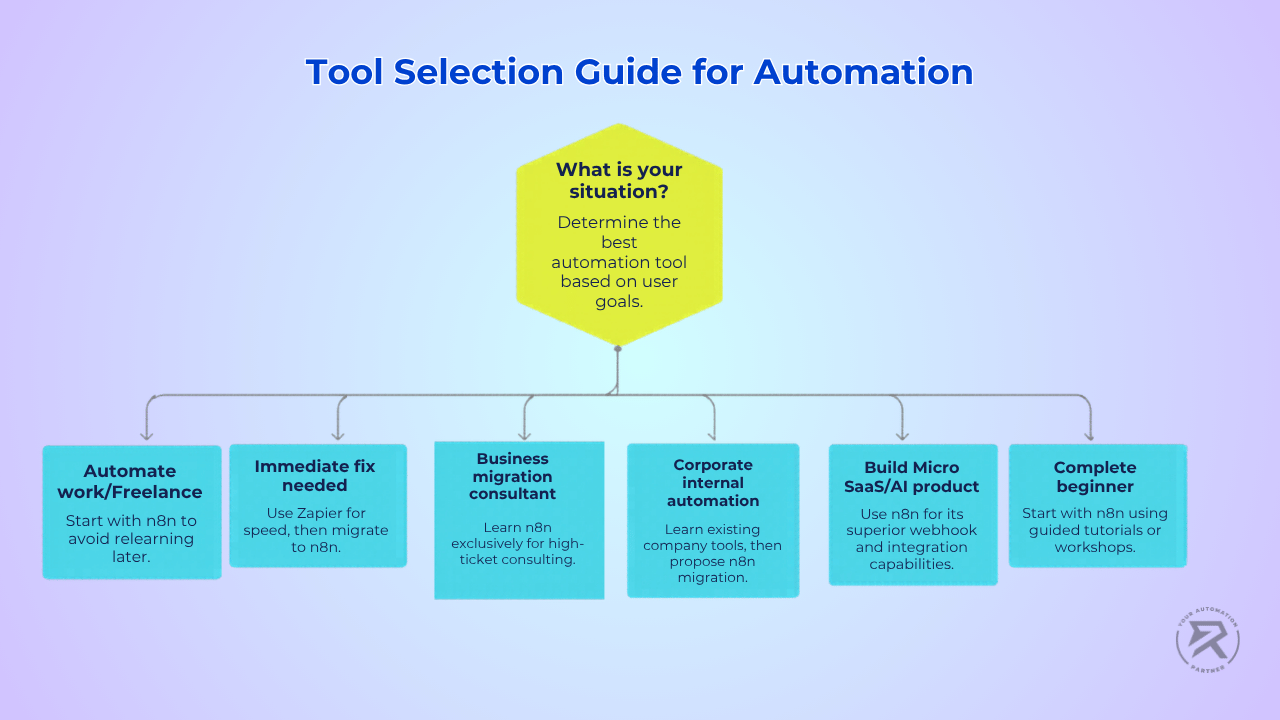
"I want to automate my own work, then maybe freelance later."
Start with n8n. Yes, Zapier is faster for your first workflow. But if there is any chance you want to earn from these skills, starting on Zapier means relearning everything on a better platform six months later. The OpenAI Assistant Tutorial gets a real AI-integrated workflow running in about an hour — a good first build.
"I need something working today. I have no time to learn."
Use Zapier for the immediate fix. Once the deadline is gone, rebuild the same workflow in n8n. You will understand it better the second time, and you will have a more scalable solution that does not cost more as your usage grows.
"I want to help businesses migrate from Zapier to n8n."
Learn n8n exclusively. This is one of the highest-ticket opportunities in automation right now. A business paying $800/month for Zapier can drop to $20/month with n8n self-hosting — and that $780/month saving is your entire sales pitch. You do not need to have built on Zapier to do this work. See the full consulting approach in the n8n consulting guide.
"I work at a company and want to automate internal processes."
Check what tools the company already uses first. If they are on Zapier or Make, learn that tool to make an immediate impact—then position yourself as the person who can migrate them to something cheaper and more capable. This is the dynamic behind why learning no-code is valuable for anyone in business. The Automation for Consulting Firms case study is solid proof to bring to that conversation.
"I want to build a micro SaaS or AI-powered product."
n8n only. Zapier and Make were not designed to be turned into products. n8n's webhook system, combined with UI builders like Bubble or Softr, is the standard stack for this kind of build. The No-Code Tools for Rapid Prototyping guide shows how these layers connect.
"I am a complete beginner with zero technical background."
Start with n8n, but follow a guided path – do not just open it and click around randomly. Read What is n8n: A Beginner's Guide, then build your first workflow with the OpenAI Assistant tutorial. If you want live guidance and a chance to ask questions in real time, the Ritz7 live workshop is built exactly for this starting point. For a full structured learning path, the Ritz7 automation programs take you from zero to your first client.
What Happens If You Start on the Wrong Tool?
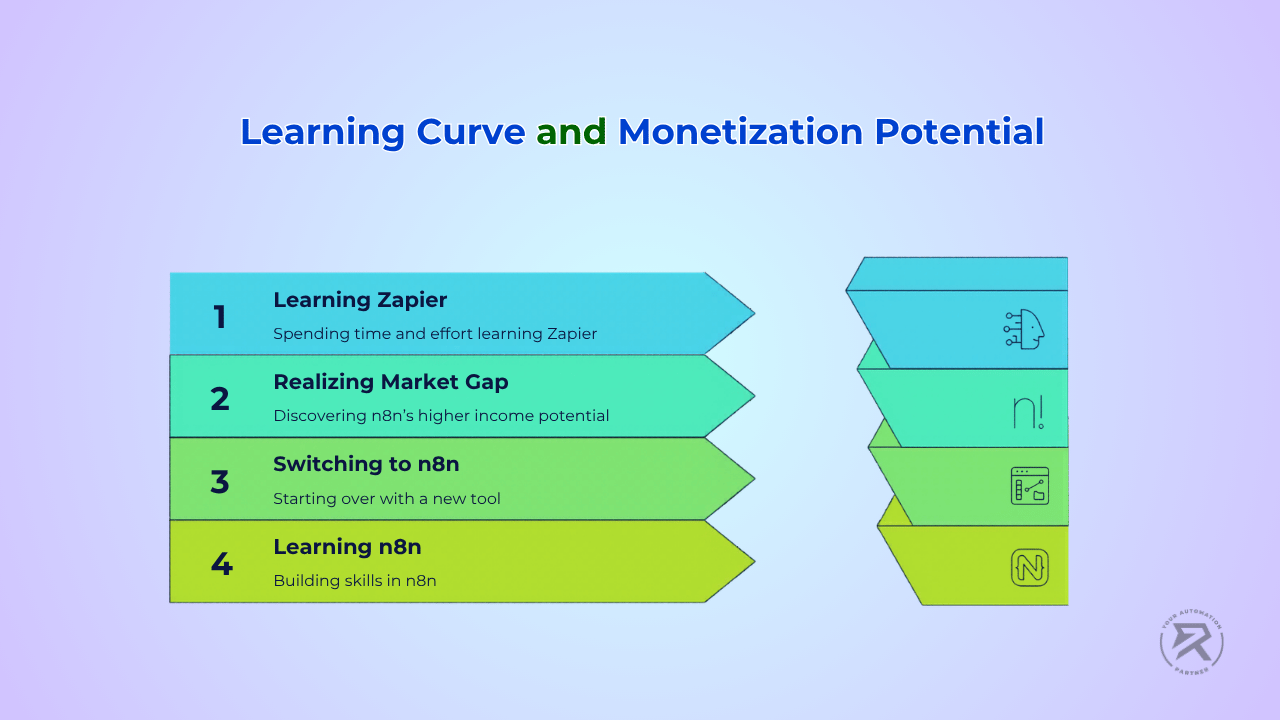
This is worth thinking about before you default to Zapier just because it seems easier.
If you spend three months learning Zapier and building workflows, then decide you want to start freelancing, you have to start over on n8n. New interface, different logic, different community, and different pricing models to explain to clients. Three months of learning effectively resets.
People who start on n8n from day one spend those same three months building skills they can actually monetise. The first workflow saves them two hours a week. The second takes half the time to build because the logic is familiar. By month four, they have a system of connected workflows handling a meaningful chunk of their work. That is the compounding effect of starting on the right tool.
Companies that automate their processes see operational cost reductions of up to 30%, according to research on business process automation. The people who build those systems are the ones who become indispensable. Learning n8n is how you become that person.
How to Build Your First n8n Workflow Today (Step-by-Step)
Step 1: Pick one small, boring task you repeat every week.
Do not start with a big project. Pick something you could explain to a friend in 30 seconds.
Good examples:
- "Every time someone fills my contact form, I manually send a reply email."
- "Every Friday I copy Slack updates into a Google Sheet."
- "Every morning I check three websites for news in my industry."
Step 2: Write out every single step of that task.
Do it literally — like instructions for someone who has never done it before.
Example using the contact form task:
- Open Gmail
- Find the new form submission email
- Copy the person's name and email address
- Open Google Sheets
- Paste their details into a new row
- Go back to Gmail and write a reply
- Send it
Steps 3 to 6 can be fully automated. Step 7 can be drafted by AI. Once you see the steps written out, it becomes obvious which ones a machine can handle.
Step 3: Build it in n8n.
The Automate Email Replies guide walks through the exact contact form example above. The OpenAI Assistant Tutorial shows you how to drop an AI node into a live workflow. Both are beginner-friendly and take about an hour each.
Step 4: Schedule it so it runs on its own.
Once your workflow works, you can set it to trigger automatically — either when something happens (a new form submission, a new email) or on a timer using a cron job. That is how your Google Sheets get updated, your reports get sent, and your Google Drive stays organised without you touching a thing.
Step 5: Test it, break it, fix it.
Your first run will not be perfect. That is completely normal. The fixing is where you learn the most. Before you let anything run fully on its own, read Stop Deploying Broken Agents — it saves a lot of headaches.
Step 6: Join a community of people doing the same thing.
Reading articles only gets you so far. The Ritz7 Automations Community is where builders at every level share workflows, ask questions, and find their first clients. And if you want someone to walk you through it live, the Ritz7 workshop takes you from your first workflow to your first paying client.
Quick Summary: n8n vs Zapier vs Make
| Comparison Criteria | Zapier | Make | n8n |
| Ease to start | ⭐⭐⭐⭐⭐ | ⭐⭐⭐⭐ | ⭐⭐⭐ |
| Power & flexibility | ⭐⭐ | ⭐⭐⭐⭐ | ⭐⭐⭐⭐⭐ |
| Cost at scale | ❌ Expensive | ✅ Moderate | ✅ Cheapest |
| AI capabilities | Basic | Basic | Native & advanced |
| Income potential | Low | Medium | High |
| Best for beginners who want to earn | ❌ | Maybe | ✅ Yes |
| Community & tutorials | Large | Medium | Large & growing |
Ritz7 Automations helps people at every level build real automation systems using n8n and AI. Browse the full Ritz7 blog for step-by-step guides, join the Ritz7 Automations Community to share what you are building and find your first clients, or explore the full Ritz7 automation programmes for a structured path from beginner to paid professional.
Frequently Asked Questions
Everything you need to know about this topic.