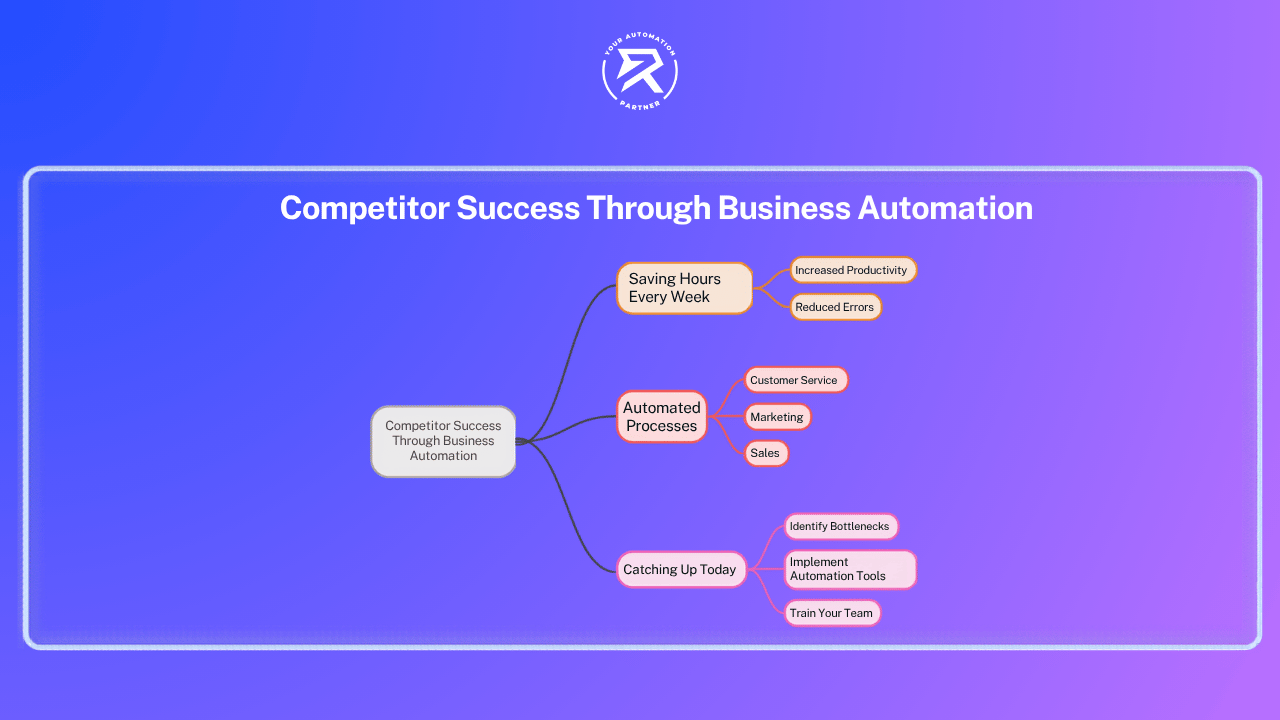
Your rivals are saving hours every week. Here is exactly what they automated — and how you can catch up today.
Key Takeaways:
- Rivals are already using AI: 88% of companies use it right now.
- Time is running out: AI will fully automate 10% of jobs in three years.
- It is incredibly cheap: Competitors are connecting tools you likely already own for just $20 a month.
- Waiting costs you money: Doing tasks by hand wastes cash and puts you behind every single week.
- Start today: Skip the massive six-month plan. Just automate one workflow this week.
Competitors Aren't Smarter: They Just Use Business Automation
You probably think your biggest competitors have a larger team, a bigger budget, or some clever strategy you have not figured out yet.
Here is the real answer: they automated something you are still doing by hand.
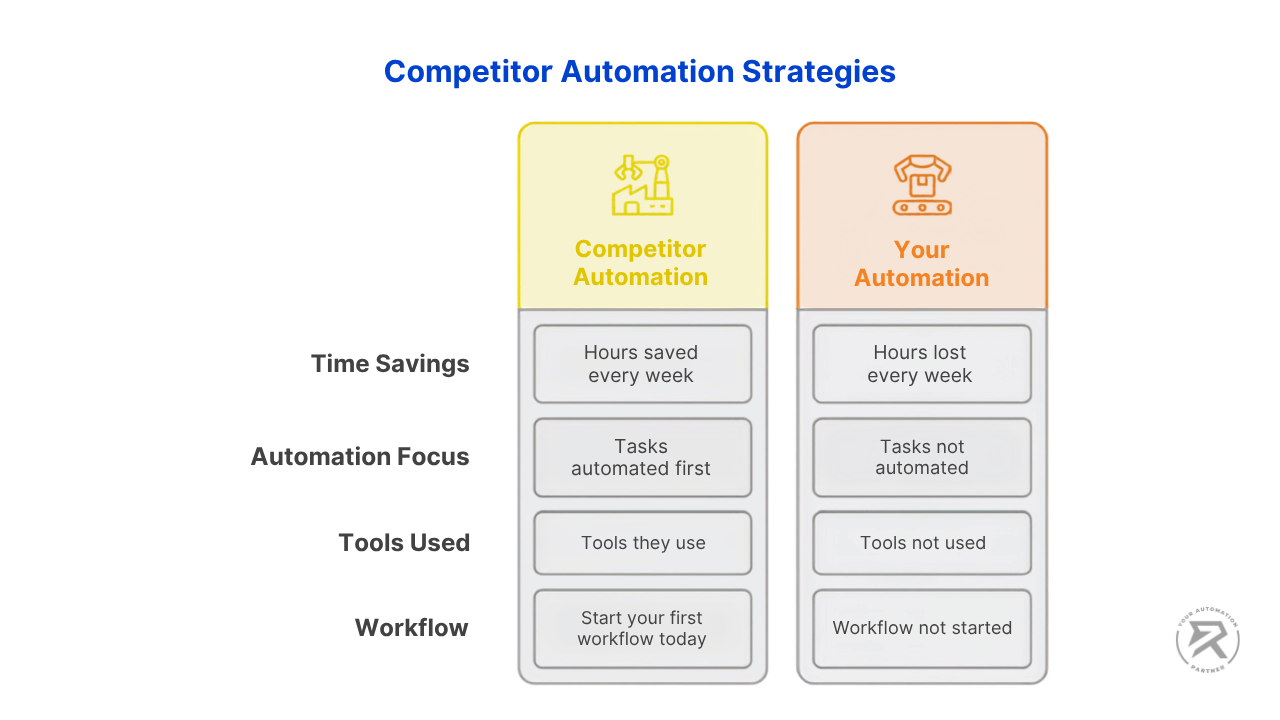
Not because they are more technical. Not because they spent a fortune. Because someone on their team got tired of doing the same task manually for the fifteenth time and spent one Sunday afternoon connecting two tools together. That is the entire gap. While their automated workflows run silently every day, saving them hours, you are still opening tabs, copying data, and sending the same email again.
That stops today.
The Number That Should Make You Uncomfortable
A massive shift is happening right now. According to McKinsey's 2025 State of AI survey, 88% of businesses are already using AI, which is a huge jump from the year before.
It is moving fast. Deloitte's State of AI in the Enterprise 2026 report found that most bosses expect AI to completely take over 10% of their company's jobs within three years, and they are already building custom AI tools to do it.
You cannot afford to wait. The Duke University and Richmond Fed CFO Survey confirms that nearly all large companies are using software to automate tasks people used to do by hand, and over half of them are using AI.
If you are not automating yet, you are not standing still. You are actively falling behind — and the distance grows every quarter.
| Automation Adoption Metric | Figure | Source |
| Organisations using AI in at least one business function | 88% | McKinsey State of AI 2025 |
| Large companies that have automated tasks in the past year | 84% | Duke University / Richmond Fed CFO Survey |
| Companies expecting 10%+ of jobs fully automated within 3 years | 82% | Deloitte State of AI in the Enterprise 2026 |
| Companies planning to customise AI agents for their operations | 85% | Deloitte State of AI in the Enterprise 2026 |
| Organisations projected to implement structured automation by 2025 | 70% | Gartner 2022 I&O Automation Survey via VentureBeat |
What Did Your Competitors Actually Automate First?
The successful businesses did not start with giant, complicated AI projects. Instead, they picked the most boring, repetitive tasks on their desks—the chores that follow the exact same steps every single time and require zero real thinking.
They focused on the annoying work that wastes three hours every Monday morning. Think of the weekly reports nobody wants to write, the follow-up emails that always get forgotten, or the new sales leads left sitting for days because everyone assumed someone else was handling it.
Here is what that looks like across real business functions:
| Business Function | ❌ Manual Task (Before) | ✅ Automated Workflow (After) |
| Marketing | Scheduling posts on five platforms every Monday | The workflow pulls from Google Sheets, formats per platform, and queues automatically |
| Sales | Leads sitting in inbox, uncontacted for hours | Form submission triggers customer relationship management (CRM) entry + personalised reply + follow-up task — instantly |
| Operations | Pulling numbers from four tools to write a Friday report | Workflow collects, formats, and emails the report on a schedule — no manual input, no ERP system copy-paste |
| HR | Reading every CV and sorting manually, chasing workflow approvals for sign-offs | AI shortlisting workflow scores applications and drops a ranked list into a shared sheet each morning |
| Customer Service | Answering the same customer support questions via email all day | WhatsApp AI agent handles common questions 24/7 and routes complex ones to a human |
None of these required a developer. None took weeks to plan. Every single one started with someone writing down the steps of a task they were tired of doing by hand.
Pro-Tip: Not sure what to automate? Read Who Should Learn n8n Automation — it shows exactly which roles get the fastest wins from their first workflow.
More than most businesses realise, and the cost compounds every week you wait. "We know we should automate it — we just have not had time yet." That one sentence costs more than most businesses realise.
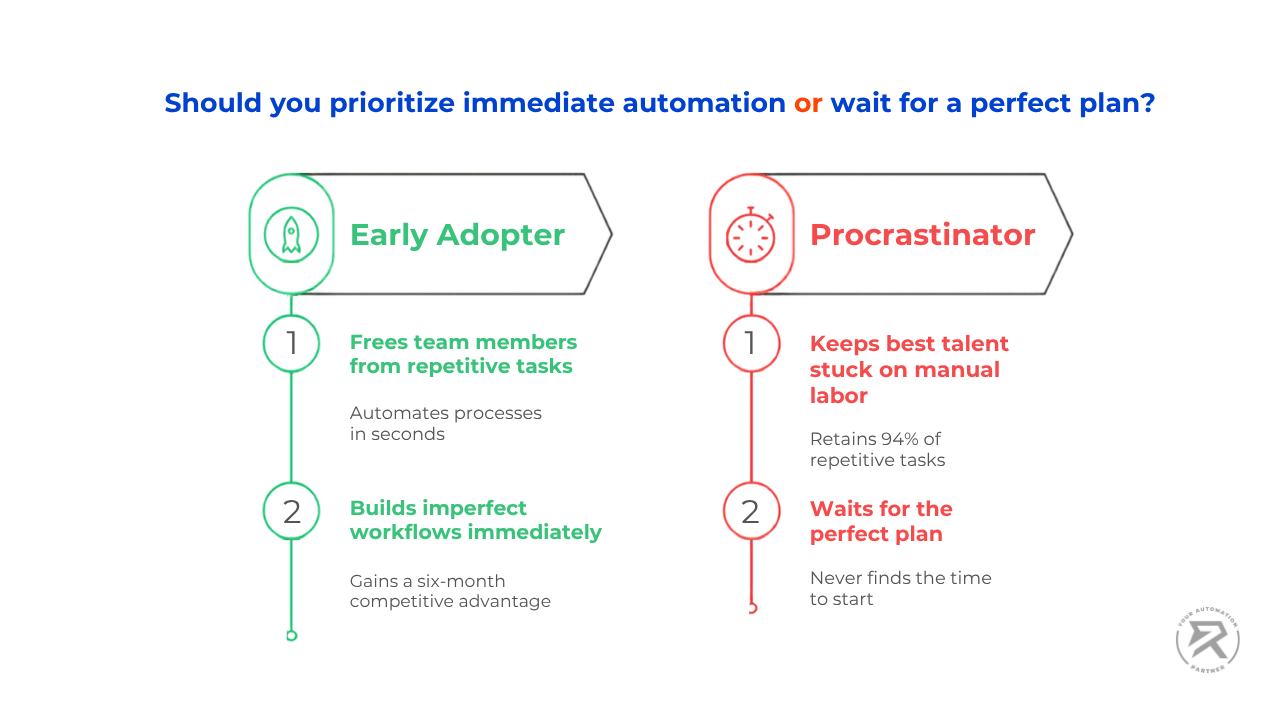
Investing in automation pays off massively. Forrester's 2024 Total Economic Impact study found that businesses using workflow automation platforms saw a 248% return on their money over three years. The businesses that chose to wait got a 0% return.
It also works incredibly fast. Research compiled by Kissflow shows that 60% of companies see their money back within a year. A basic automation setup can cost as little as $5 to $20 a month, meaning the tools pay for themselves in weeks, not years.
Almost every business has work that can be automated. According to Cflow's workflow statistics report, 94% of companies are stuck doing repetitive chores. Right now, your best team members are likely wasting time on tasks that a simple automation tool could handle in seconds.
✅ Best Practice: Build just one simple automation this week. The moment it starts running, it begins saving you time and money.
❌ Bad Habit: Waiting until you have "time to plan it properly". That perfect time never comes. A competitor who built an imperfect system months ago is already way ahead of your unbuilt plan.
Every week you delay is another week your competitors are running tools in the background, quietly handling tasks their teams no longer have to worry about.
Are These Three Signs Showing Up In Your Business?
If any of these match your situation, your business has automation-ready tasks sitting idle right now. You do not need a benchmarking report to know whether this applies to you. These three signs are enough:
Sign 1: You have tasks that work the exact same way every time. If you could write numbered instructions and hand them to someone new, that task could be automated. Fully. Today. Contact form replies, lead notifications, weekly reports, invoice reminders — all of these are automations waiting to be built.
Sign 2: Skilled people spend time moving information between tools. The test is simple: are they making a decision, or just copying data from one place to another? If it is the latter, that is hours of salary being spent on work a workflow could handle for free.
Sign 3: Your team has said "we should automate that" more than once — and nothing happened. The problem is not urgency. It is the absence of a starting point. The competitor who just shipped their fifth workflow had exactly the same conversation — and then opened the tool anyway.
Why Are Your Competitors Already Ahead?
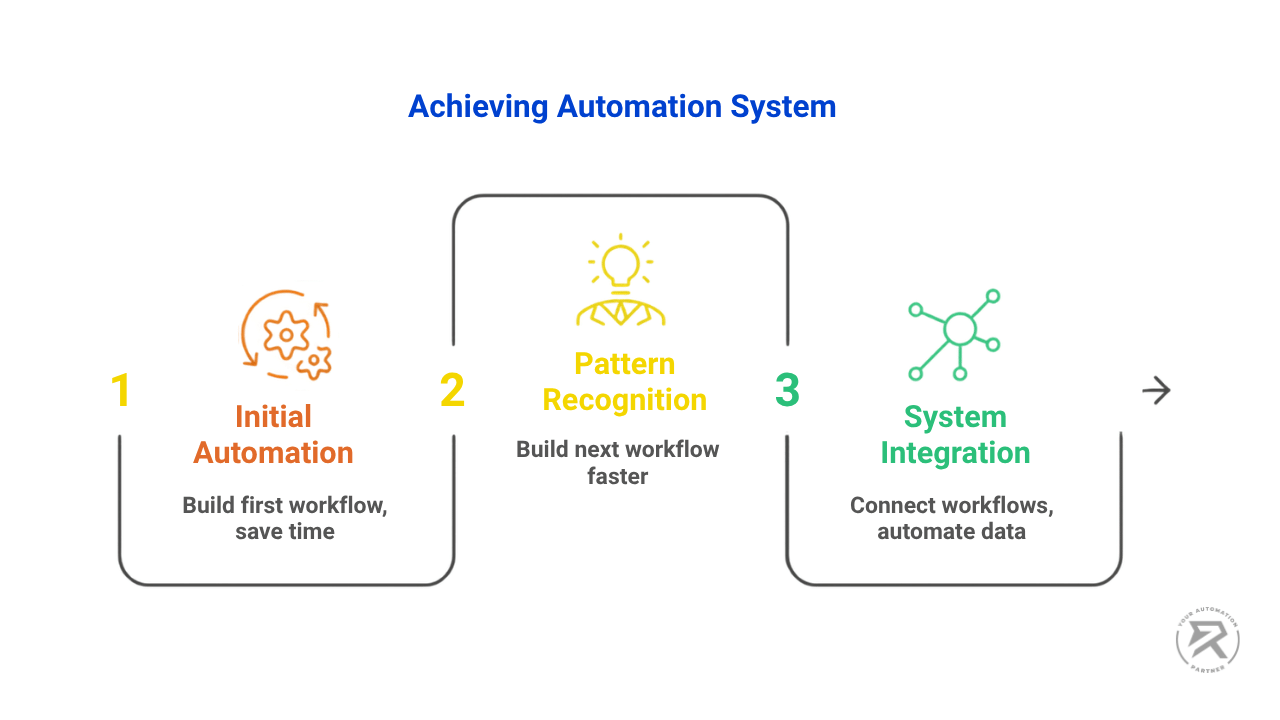
Because they started — and each workflow they built made the next one faster. Every workflow your competitor built saved them time. The time they saved got reinvested into the next workflow. That next workflow connected to the first. Within six months, they had a system — not just a single automation. Here is what that progression actually looks like:
- Workflow 1 saves 45 minutes a week — one annoying task gone permanently
- Workflow 2 takes half the time to build because the patterns are now familiar
- Workflow 3 connects to Workflow 2 — data flows between them automatically; no one touches it
- Month 6: a system of linked automations handles what used to take six hours a week, with higher output quality and zero manual effort
Research on business process automation consistently shows operational cost reductions of around 30% for businesses that implement automation properly. That is not a one-time saving. Every hour freed up gets reinvested into growth rather than more manual processing — and the gap between them and you widens every week.
This is exactly why starting late costs more than it looks. If you want to understand how the compounding effect works in practice — and how to build the thinking that makes each automation faster than the last — The One Skill That Makes You Useful In Any AI-Powered Job covers it in full.
How AI Makes The Automation Gap Even Wider
Standard business automation moves data from one place to another. Robotic Process Automation (RPA) handles rule-based tasks at speed. But AI-powered automation goes further — it reads, interprets, generates, summarises, and decides, then moves the result to the right place automatically. That is a different category of advantage entirely.
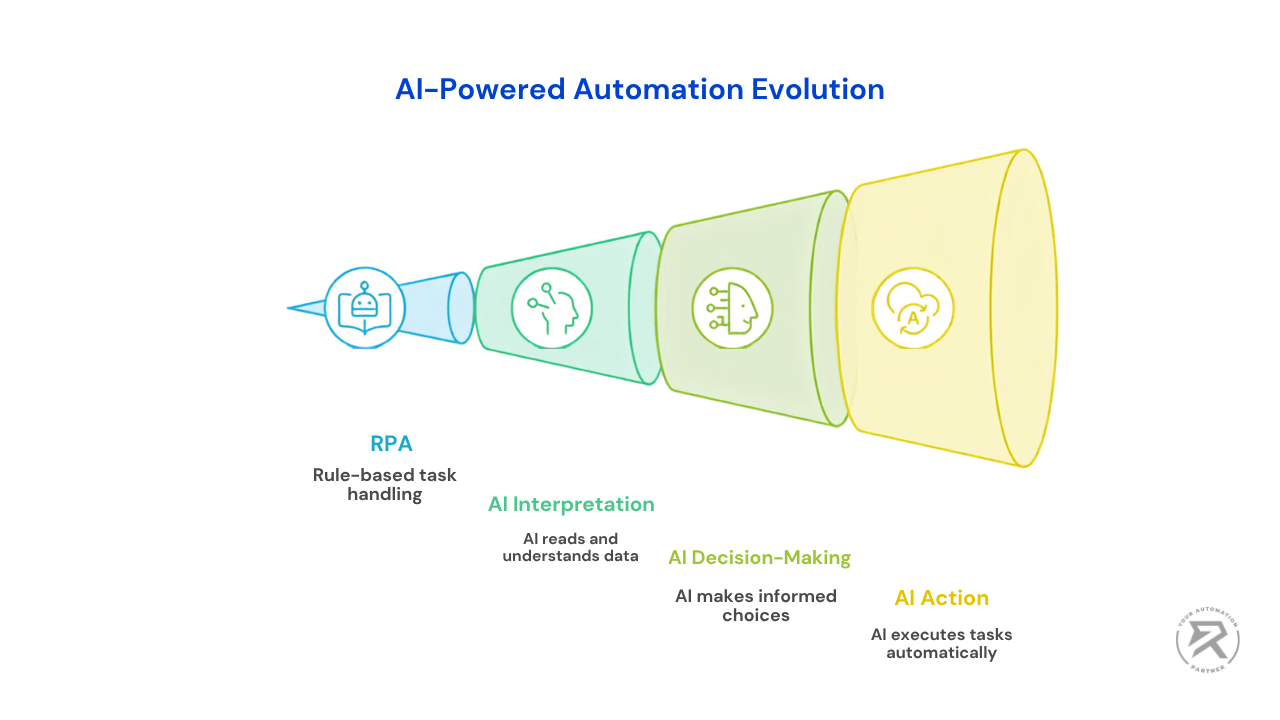
The goal has changed. The latest AI automation trends shaping 2026 show that businesses want AI that actually completes tasks inside a process, rather than just sitting in a chat box waiting for you to type a question.
This shift is happening incredibly fast. Research from Gartner projects that 40% of enterprise applications will incorporate task-specific AI agents in 2026—which is a massive jump from less than 5% just last year.
You don't need a massive tech team to build this. Modern tools like n8n have these smart features built right into an easy-to-use visual interface. Any small business owner, freelancer, or consultant can set up their own AI-powered system today without writing any code for around $20 a month.
Pro-Tip: Wondering which automation tool fits your situation? Compare n8n, Zapier, and Make side by side in our full breakdown — including cost, AI capability, and income potential.
Video Tutorial: Build Your First Business Automation Workflow
This beginner-friendly video walks you through building your very first n8n automation workflow from scratch — no code required. You will learn how to use a manual trigger to test your flow, connect Gmail via OAuth, configure email details like subject line and sender name, and send a fully formatted HTML email automatically. By the end, you will have executed and tested a working workflow in real time. It also lays the foundation you need before moving on to more advanced AI agent builds. If business automation is new to you, this is the right place to start.
Ready To Build Your First Business Automation?
The competitive gap covered in this article closes the moment you build one thing. Not a plan. Not a shortlist of ideas. One working workflow.
Here is where to go next, depending on where you are starting from:
- New to n8n entirely? Start with what n8n is, how it works, and what it costs - covers 10 real automation ideas and a full pricing breakdown
- Want to think like an automation builder? Workflow thinking is the skill that makes every build faster and cleaner from day one
- Most common first automation — contact form replies? The step-by-step build guide covers it exactly
- Your business runs on WhatsApp? The WhatsApp AI agent guide is where to go next
- Before going live with anything: Read Stop Deploying Broken Agents — it covers the safeguards that prevent the most common failures
- Not sure which tool to use? The n8n vs Zapier vs Make breakdown covers cost, difficulty, and AI capability side by side so you can pick one and start today
If you want live guidance rather than reading alone, the Ritz7 workshop gets you to a working automation in three hours. For a full structured path from first workflow to first paying client, explore the Ritz7 automation programmes. And join the Ritz7 Automations Community to see what businesses at exactly your stage are building first.
Frequently Asked Questions
Everything you need to know about this topic.